


ToonScroll:Your Story Universe
4.11.02K Reviews
App Specs
- Version
- 5.7.1
- Updated On
- License
- Free
- Downloads
- 500,000+
- Developer
- NovaBeats
- Categories
- Entertainment
- Platform
- Android
Screenshots
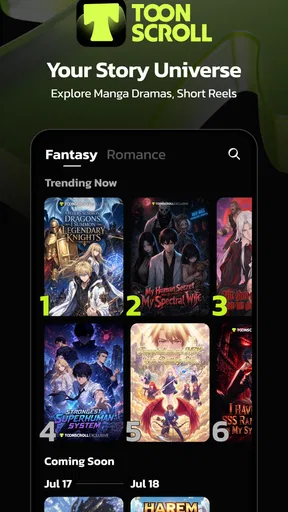
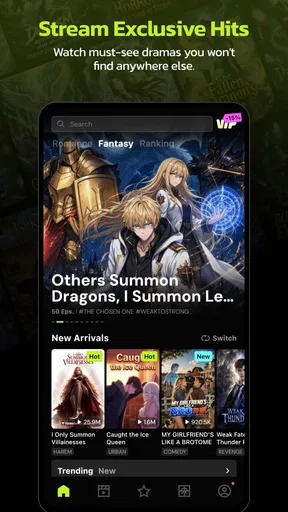
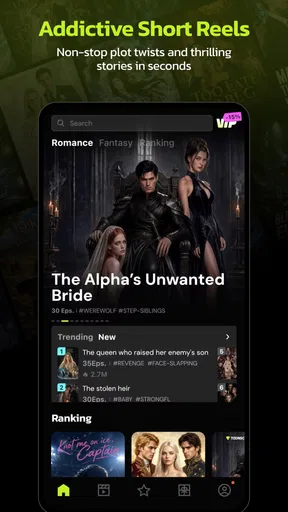
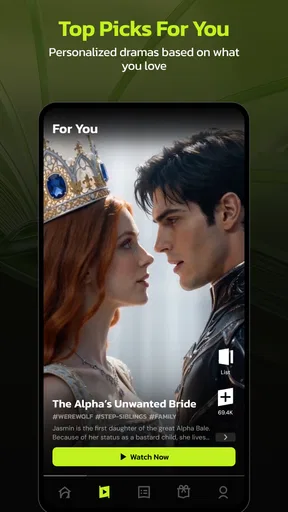
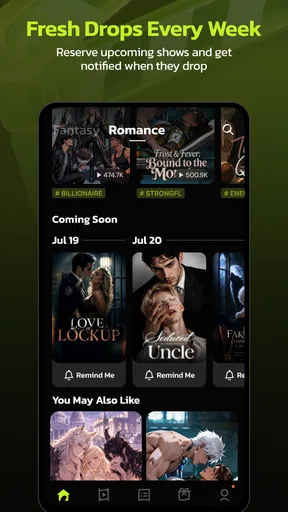
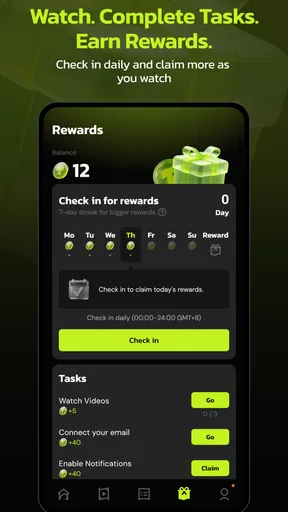
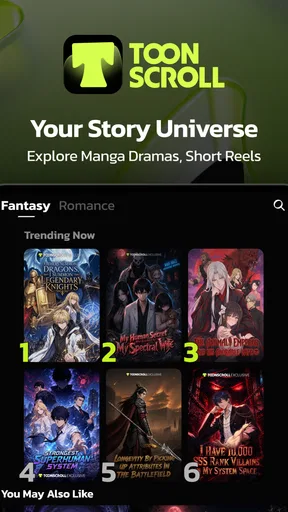
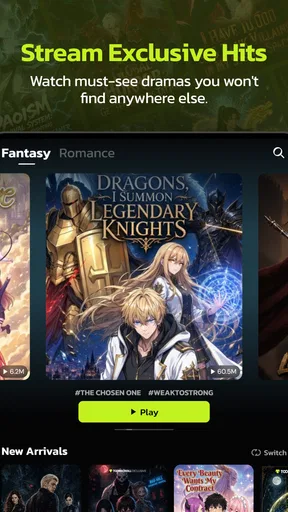
 Analysis by AppCompare
ToonScroll: Your Story Universe is the kind of entertainment app I open when I want something lighter than a full television episode but more absorbing than endlessly browsing short videos. It brings together toons, stories, and audiobooks in one place, with a presentation built around quick discovery and bite-sized sessions. My overall view is positive: it is a convenient way to keep several forms of fictional entertainment within reach, but it works best when you treat it as a casual reading and listening companion rather than a complete replacement for dedicated comic, ebook, or audiobook services.
The app comes from NovaBeats and sits in the entertainment category. It is free to install, which makes trying it uncomplicated, although the presence of optional purchases means the free experience should be approached with a little attention. The audience is mature, with a 17+ content rating, so I would not install it on a child’s device simply because the visual style looks playful. That distinction matters: cartoon presentation does not automatically mean child-friendly material.
What using ToonScroll feels like in everyday life
The most appealing part of the experience is the way it suits fragmented time. I can imagine using it while waiting for an appointment, winding down before bed, or taking a short break between tasks. A long audiobook often asks for a proper commitment, while a traditional ebook can feel too demanding when I only have a few minutes. ToonScroll’s mix of formats gives me a better chance of finding something that matches my attention level at that moment.
Its central idea is simple, but the combination is useful. Toons provide a visual entry point, written stories offer a more conventional reading session, and audiobooks let me continue without staring at the screen. That variety is more important than it first appears. On a busy day, I may want to read; on a commute or while doing household chores, listening makes more sense. Having those choices in one entertainment app reduces the need to jump between unrelated services.
I also like that the app is not limited to one narrow kind of storytelling. Someone who normally avoids comics may discover that a visual story is easier to start than a novel. Likewise, a reader who finds scrolling content too passive may move toward longer written or spoken material. The strongest case for this app is therefore not any single format. It is the ability to move between formats according to mood, time, and attention.
That flexibility does come with a trade-off. A specialized app usually makes its purpose immediately clear. A comic reader is built around comics, and an audiobook service is built around listening. Here, the broader selection can make the experience feel less focused. I sometimes have to decide what kind of entertainment I want before I can properly enjoy the browsing process. For some people, that variety will feel generous; for others, it may feel like a collection that needs more direction.
Why the format mix is the app’s strongest argument
ToonScroll is at its best when I use it as a small entertainment shelf rather than a single-purpose tool. The visual material is suited to quick engagement, while stories and audiobooks create a path toward longer sessions. This makes the app more adaptable than an ordinary feed of short clips, which can be easy to consume but difficult to remember or return to with intention.
Worth Reading Before You Choose

EA SPORTS FC Mobile 26 Is a Bigger Football Game, but It Takes Time

Flipboard Shows What News Apps Must Do Beyond the Feed

Switching to Android Auto Means Rethinking Your Driving Routine

Google Calendar Makes a Crowded Week Easier to Manage

Ludo King Makes the Most of the Minutes Between Plans

Baby Panda World Brings Quick Play to Modern Phones, but Its Game Library Feels Busy
A practical habit is to choose the format before opening the app. If I have only a few minutes, I would start with a toon or a short story. If I am walking or handling routine chores, I would move directly toward audio. This simple decision prevents the broader catalog from turning into aimless browsing. It is one of the more useful ways to get value from a multi-format entertainment app.
Another worthwhile approach is to use the app according to energy level rather than forcing one format all day. Visual stories are a better choice when I want something immediate and screen-based. Written stories are more suitable when I want to slow down and concentrate. Audio is the natural option when my eyes are occupied. That sounds obvious, but the app’s real advantage is that all three choices belong to the same entertainment destination.
The experience also works well for people whose interests change quickly. I may begin with a visual title and later prefer a spoken story without wanting to leave the app. That continuity is convenient, especially for casual users who do not want to maintain several separate libraries. It is less compelling for a serious reader who already has a carefully organized collection elsewhere and values deep catalog tools over variety.
Small habits that make browsing more useful
I would avoid treating the home screen as a promise that every displayed title will become a favorite. Discovery systems are good at presenting possibilities, but they can also encourage sampling without finishing. My better workflow is to give a new item a short trial, then make a clear decision: continue, leave it for later, or move on. This keeps the app from becoming another source of digital clutter.
For audio, I would make a habit of checking where I stopped before beginning something new. Switching frequently between several spoken titles can make it harder to remember characters, settings, or plot details. The app’s mixed nature encourages variety, but variety is not always helpful for longer narratives. Keeping one audio story as the main choice and using toons for short breaks gives the experience more structure.
For written material, I find that the app is better suited to relaxed reading than intensive study. If I need detailed annotation, academic references, or a carefully managed ebook library, a dedicated reading platform is likely to be more appropriate. ToonScroll’s appeal is entertainment and accessibility, not replacing every tool a serious reader might need.
With visual stories, I would pay attention to how much screen time the format demands. Scrolling can feel effortless, but it still encourages looking down for longer than expected. I prefer using those sections during deliberate breaks rather than opening them automatically whenever I feel bored. That makes the app feel like a choice instead of another feed competing for attention.
Where the free model needs careful attention
The app is free to use in the sense that there is no purchase required to install it, but optional in-app purchases range from $0.99 to $149.99 per item. That is a wide span, and it is the main financial detail I would want a new user to understand before spending time inside the catalog. I would not assume that every piece of content or every convenience is included at no cost.
My advice is to decide on a personal spending boundary before making any purchase. This is especially sensible on a shared device, where a younger family member might be attracted by the colorful presentation even though the app is rated for mature audiences. The mature rating and purchase range are separate issues, but together they make basic account and device awareness important.
I also would not choose this app expecting the same depth of organization as a premium specialist service. A dedicated audiobook platform may be better if listening is your main hobby. A focused comic reader may be preferable if panel presentation and collection management matter most. A standard ebook application can be a stronger choice for people who want reading to remain the central activity. ToonScroll earns its place through combination, not through being the most specialized option in every area.
That limitation is not a deal-breaker for me. In fact, it clarifies who should use it. The app is attractive when convenience matters more than perfect specialization. It is less attractive when I already know exactly what I want and have a preferred service designed around that format.
Who will get the most from it
I would recommend ToonScroll to casual entertainment seekers who enjoy moving between visual stories, written fiction, and audio. It is particularly suitable for someone who has short, irregular pockets of free time and wants an app that can adapt without requiring a separate download for every mood. It also makes sense for users who are curious about more than one storytelling format but do not yet want to commit to a specialized subscription or library.
It can be a good fit for a commuter, provided the chosen content is prepared appropriately for the journey and the user is not relying on the screen while moving. It also suits a person who relaxes at home in stages: a toon while taking a short break, a written story later, and an audiobook when doing something that does not require visual attention. The value comes from those transitions.
People who should skip it are equally easy to identify. I would look elsewhere if I wanted a strictly child-oriented cartoon app, because the mature age rating makes that unsuitable. I would also choose a dedicated service if I cared primarily about advanced audiobook organization, a deep ebook workflow, or a highly focused comic collection. The broad catalog is not automatically better than a narrower tool that matches one clear purpose.
Readers who dislike browsing may also find the app less satisfying. Its appeal depends partly on discovery and willingness to try different formats. If I already have a fixed reading list and want to reach it with minimal distraction, a simpler reader may serve me better. ToonScroll is more enjoyable when I allow some room for exploration.
How it compares with familiar alternatives
Compared with short-video entertainment, ToonScroll feels more connected to stories. It is still suitable for quick sessions, but the presence of written and spoken material gives me more ways to spend time than simply watching one clip after another. The trade-off is that it may require more active choice. Short-video feeds are designed to remove that decision; here, selecting between toons, stories, and audiobooks is part of the experience.
Compared with a dedicated audiobook service, it is more flexible but less focused. I would select ToonScroll when I want audio as one option among several. I would select the specialist when listening is the main reason I am opening the app and I want my entire experience organized around that habit.
Compared with a conventional ebook reader, ToonScroll feels more entertainment-led. It is easier to approach when I want variety, but it may not be the best environment for long, concentrated reading. Compared with a comic-only application, it offers a wider range of formats but may not provide the same sense of a carefully curated visual library. These are not failures so much as the natural cost of being a general storytelling destination.
What the current release and audience numbers suggest
The app’s current version is 5.6.0, and it supports devices running Android 5.0 or later. That broad operating-system requirement makes it accessible to people using older Android hardware, although the actual comfort of reading, scrolling, or listening will still depend on the device itself. On a smaller or slower phone, visual browsing may feel less pleasant than it does on a newer screen.
Its reach is also significant: it has passed 500K installs, with an average rating of 4.1 from around 10K ratings and close to a thousand written reviews. I read that as a sign of a generally positive but not universally perfect experience. The rating is strong enough to justify trying the free app, while not so high that I would ignore the possibility of content, navigation, or purchase preferences varying from user to user.
The release date was Mar 16, 2022, which gives the app a meaningful history rather than making it feel like an untested newcomer. Still, I would judge it by how well it fits my current habits, not by age alone. An established entertainment app can be useful, but the right question is whether its mixed format remains convenient for the way I actually spend free time.
My verdict after weighing the trade-offs
My recommendation is straightforward: try ToonScroll if you want one free entertainment app that can shift between visual stories, reading, and audio. Its strongest quality is adaptability. It can meet me during a short break, a quiet reading session, or a hands-busy moment when listening is more practical. That makes it more useful than its short summary might suggest.
I would keep expectations realistic. This is not the obvious best choice for a specialist reader, a dedicated audiobook listener, or a parent searching for children’s entertainment. The mature rating deserves attention, and the optional purchases mean I would use sensible spending controls. The broad selection can also feel less organized than a purpose-built alternative.
For me, the deciding point is whether variety is a benefit or a distraction. If I want flexibility and enjoy discovering stories in different forms, ToonScroll: Your Story Universe is worth installing and exploring without an upfront cost. If I want one highly polished format with deep specialist tools, I would choose a dedicated alternative instead. The app succeeds because it brings several kinds of storytelling together, and it falls short only when that same breadth gets in the way of focus.
In the end, I see it as a useful companion for casual, mature entertainment rather than a universal replacement for every app in the category. Used with a little structure—choosing the right format for the moment, keeping audio sessions organized, and watching purchase prompts—it offers a pleasant way to turn spare minutes into something more engaging than passive scrolling. That is a clear enough reason to give it a fair try.
Pros
- Easy-to-use interface for browsing interactive stories
- Wide variety of genres and story themes
- Personalized choices make each story feel engaging
- Regular content updates can keep the library fresh
- Suitable for short reading sessions on mobile devices
Cons
- Some episodes may require in-app purchases to continue
- Story quality can vary between different series
- Frequent reading may consume considerable mobile data
- Limited control over certain character outcomes
- Ads may interrupt the reading experience for free users
FAQs for ToonScroll:Your Story Universe
What is ToonScroll: Your Story Universe?
ToonScroll: Your Story Universe is a mobile storytelling app focused on interactive, visually presented stories. It is designed for users who enjoy reading fiction in a more dynamic format, with episodes, illustrated scenes, and narrative choices that can make the experience feel closer to watching a comic or short animated series than reading a traditional novel. The available content and features may vary by region and app version.
Is ToonScroll: Your Story Universe free to download and use?
The app can generally be downloaded without an upfront purchase, but some stories, episodes, premium content, or additional features may require in-app purchases or a subscription. Before starting a story, check whether it is fully available for free or uses a waiting system, advertisements, tickets, or paid chapters. Pricing and access conditions can change, so reviewing the store listing and the in-app purchase information is recommended.
Does ToonScroll: Your Story Universe require an internet connection?
An internet connection is normally needed to browse the catalog, load story artwork, synchronize progress, and access newly released episodes. Some content may become temporarily available for offline reading after it has been loaded, although offline functionality can depend on the specific title, account status, and app version. If you plan to use the app while traveling, open your chosen episodes beforehand and confirm that they remain accessible without a connection.
Is ToonScroll: Your Story Universe suitable for children?
The app may include stories aimed at different age groups, and not every title will necessarily be appropriate for younger readers. Themes can include romance, suspense, conflict, mature relationships, or other subjects depending on the story. Parents should review the platform’s age rating, content descriptions, privacy settings, and available parental controls before allowing a child to use it. Account and purchase restrictions are also worth enabling.
Can I save my progress and read ToonScroll stories on another device?
Progress synchronization generally depends on signing in with a supported account or using the account system provided by the app. When synchronization is enabled, your reading history, unlocked episodes, and preferences may be restored on another compatible device. However, access to purchased content can depend on using the same account and platform. Before uninstalling the app or changing devices, make sure your progress is linked and backed up.


